We’ve completely reimagined how you edit your workouts—and it’s a game-changer.
If you’ve ever felt frustrated switching between screens just to tweak a few sets, or wished for more precise control, we’ve been listening. The new editing experience is here to make every adjustment smoother, faster, and more powerful.
Before: Fragmented & Limited
- No way to edit each set individually
- Full-day vs. single-exercise edits lived in separate places
- Couldn’t change rest intervals directly
- Cardio lacked per-set precision
Now: One Screen. Total Control.
How To Access
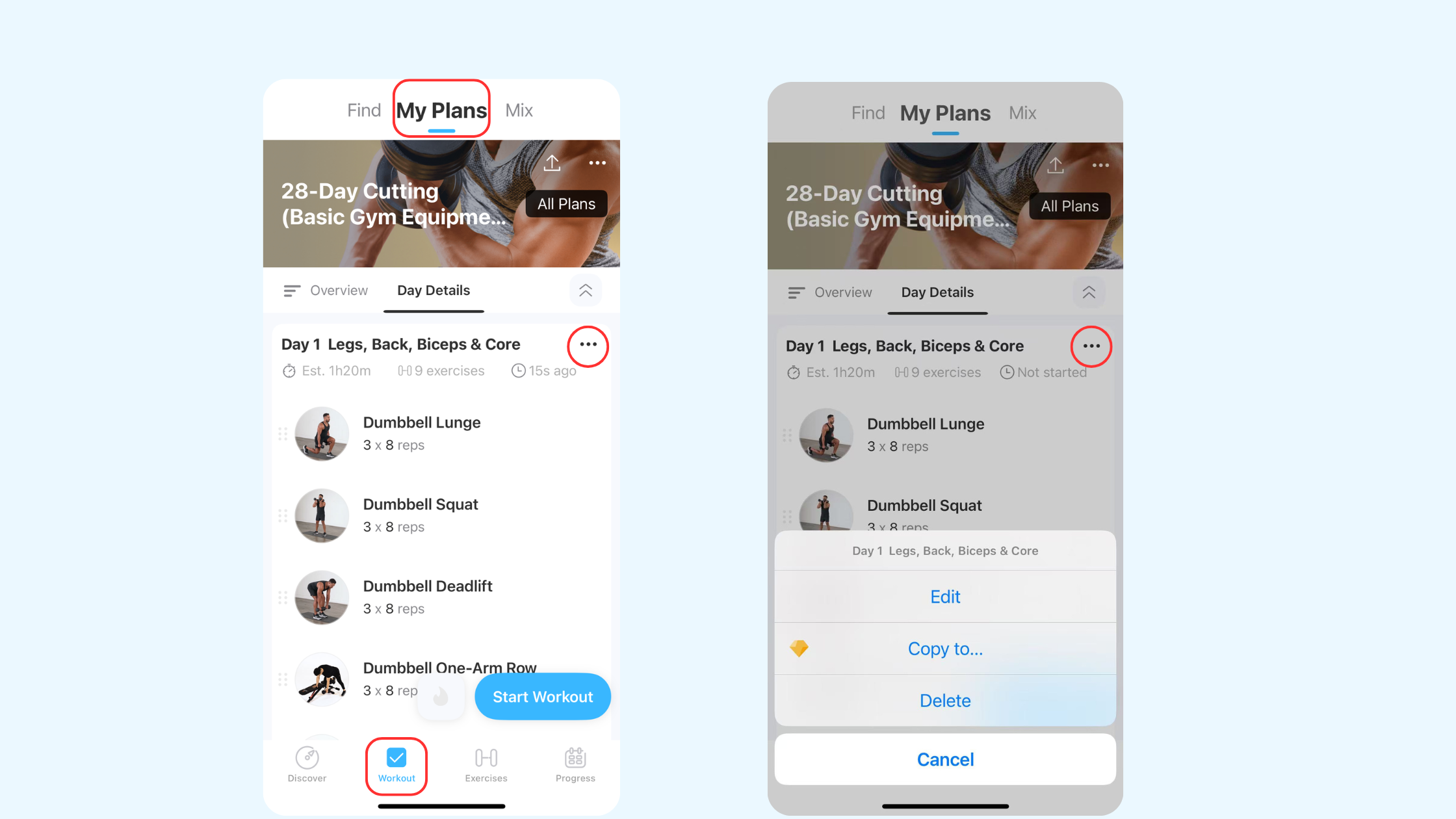
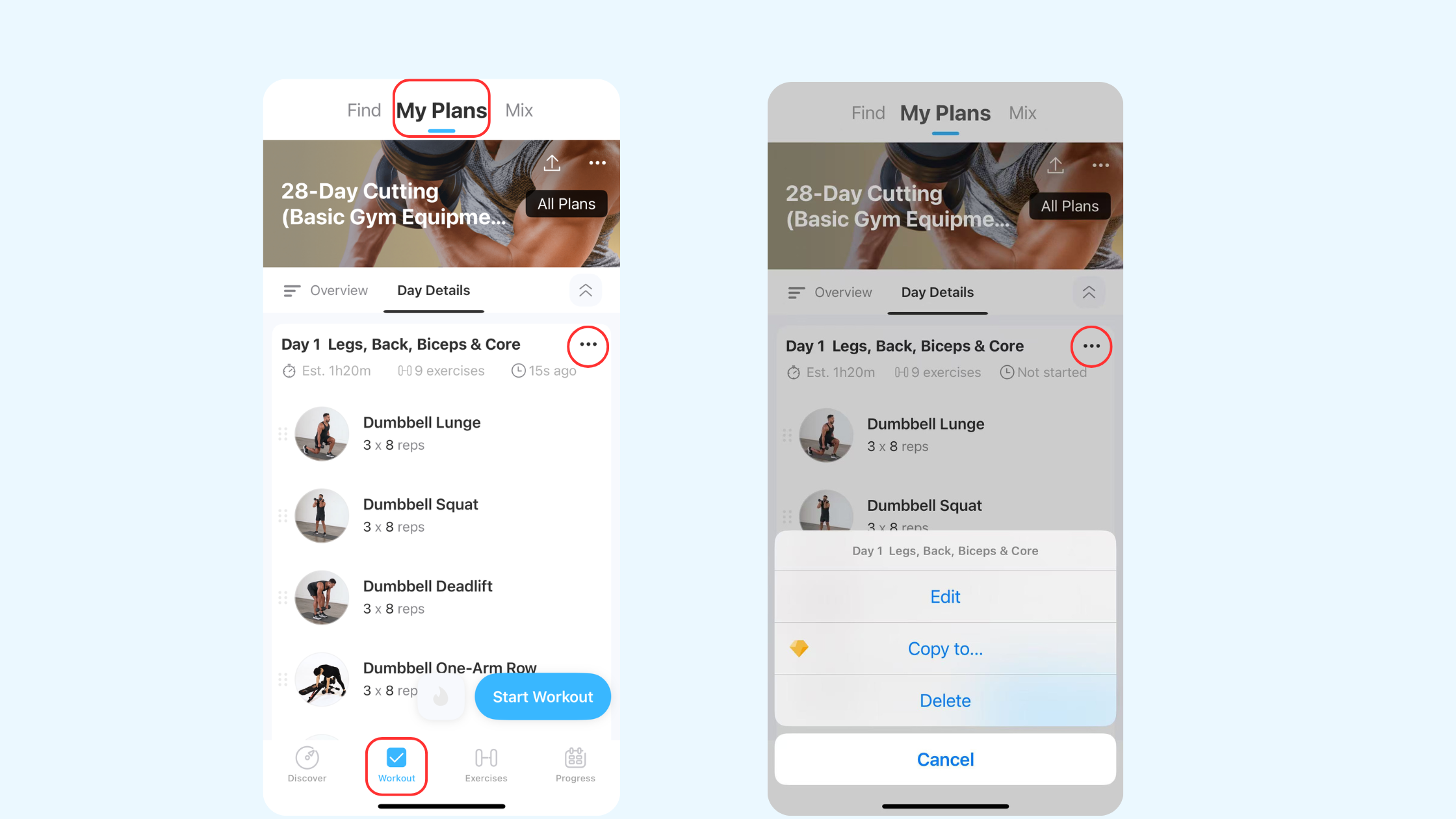
1.) workout tab -> my plans -> overview-> click three dots -> Edit
2.) workout tab -> my plans -> day details -> click three dots -> Edit
Edit Each Set

Now you can customize set types, reps, and weight for each set individually—all in one streamlined view. Want to start with a warm-up set, move into working sets, then finish with a drop set? Just tap and edit—no screen switching, no guesswork.
And it’s not just for strength training—cardio exercises now support duration settings per set, adding more structure and precision to your routines.
Per-Set Rest & Interval Control
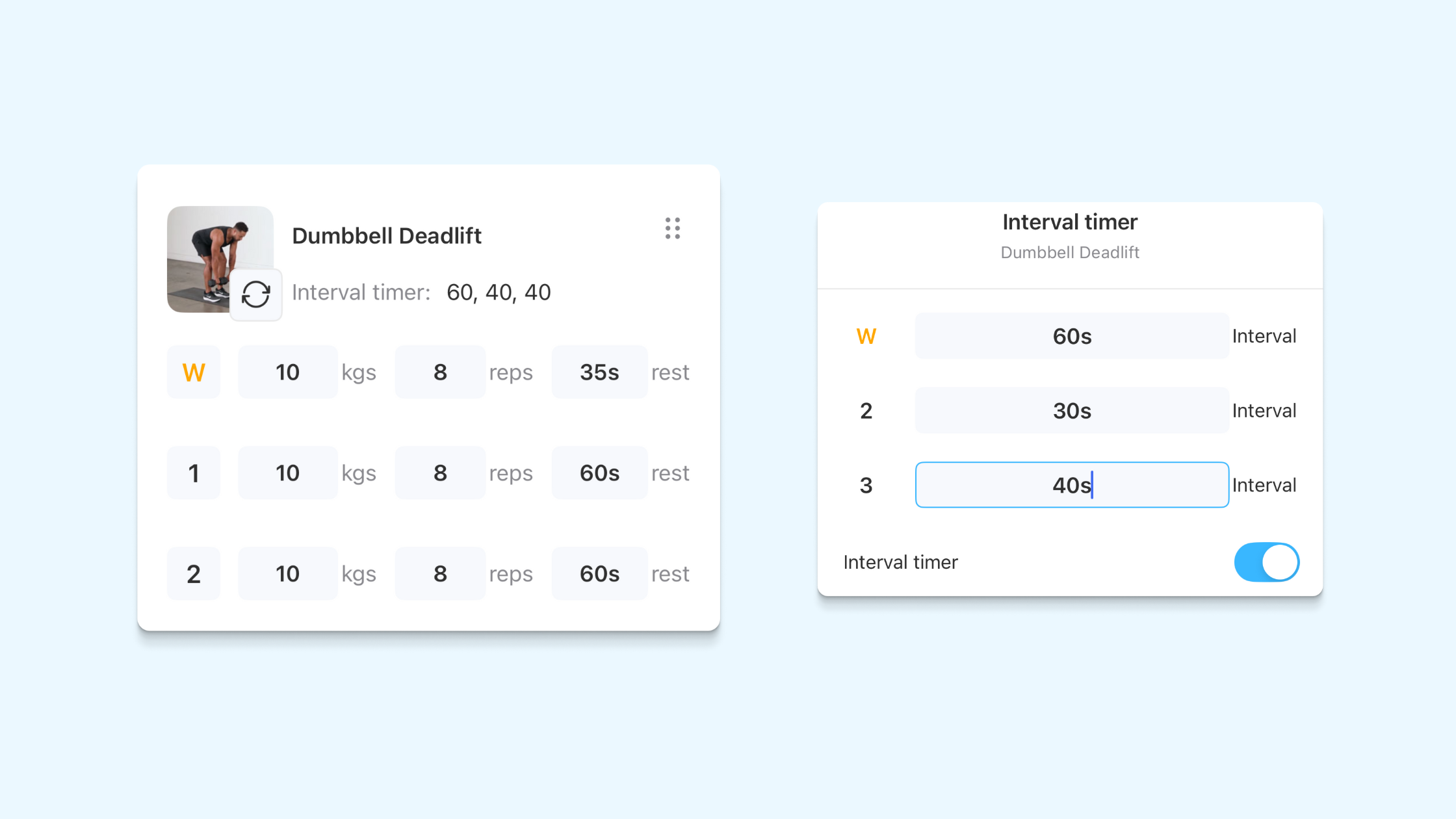
Rest smarter between sets. You can now set rest time individually for each set, giving you full control over your pacing. Whether you need a longer break after a heavy lift or shorter rests during high-intensity training—you decide.
On top of that, interval timers can now be toggled on or off per exercise, helping you stay on track without interrupting your flow. It’s precise, flexible, and built for how you train.
Also available on web: you can now set warm-up, drop, and failure sets directly in web version too
Qiwen Zheng

(see all)
- Introducing BodyMap: A Smarter Way to Visualize Your Training – November 3, 2025
- Jefit Widgets Are Live on IOS – October 14, 2025
- New:Track Heart Rate, Calories in Real Time with JEFIT Apple Watch – October 7, 2025